

Tips and Tricks to start using the Vault


How to fully optimize the Vault
Getting started with the Vault can feel like a big step, especially if you’re used to storing your metals at home or shipping them out right away. The Vault System was designed to make owning and managing physical metals easier, more secure, and more flexible. Whether you’re brand new to vaulted storage or just want to make sure you’re using all its features, these tips and tricks will help you get comfortable and get the most out of your vaulted metals. To learn what is the vault, you may learn here: https://www.collectpure.com/blog/introducing-the-vault-shipping-feature-beta
📦 What Can Be Vaulted
At this moment we only allow Gold & Platinum Products and that also includes Pre-33 Gold
In the future, we will allow all other metal types (Silver & Palladium)
⚙️ How to Use the Vault
You may access your vault through the dashboard or by clicking here
You can use items in your Vault to fulfill orders on Pure, or request an outbound shipment to have them sent to your saved address. Each outbound shipment costs the shipping label plus a $20 handling fee per package.
Your Vault address is listed here. Be sure that all address details are entered correctly to ensure our team can properly identify and process your package upon arrival.
In this section, there are three tabs: Shipments, Fulfillment Requests, Vault Holdings
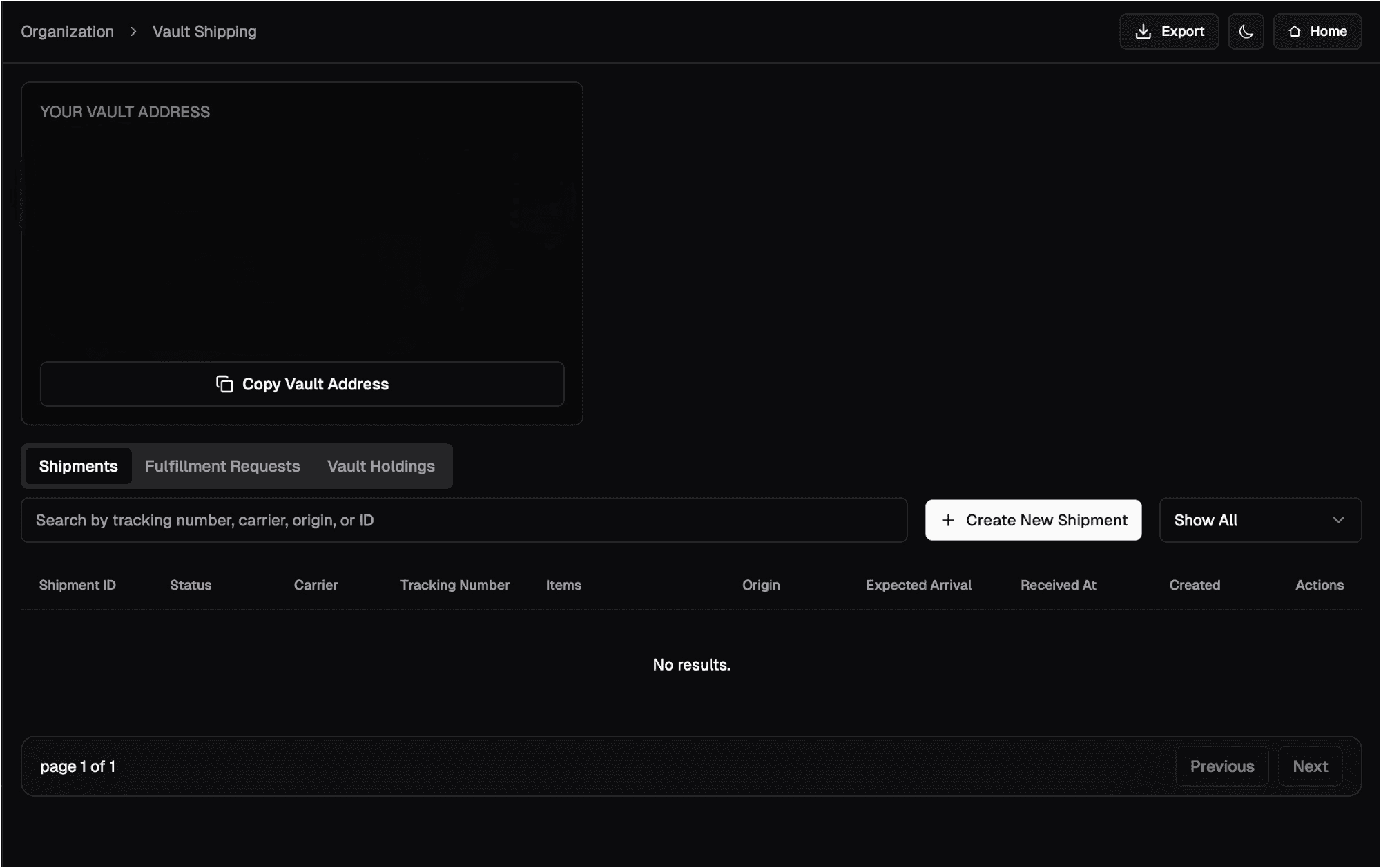
Shipment Tab
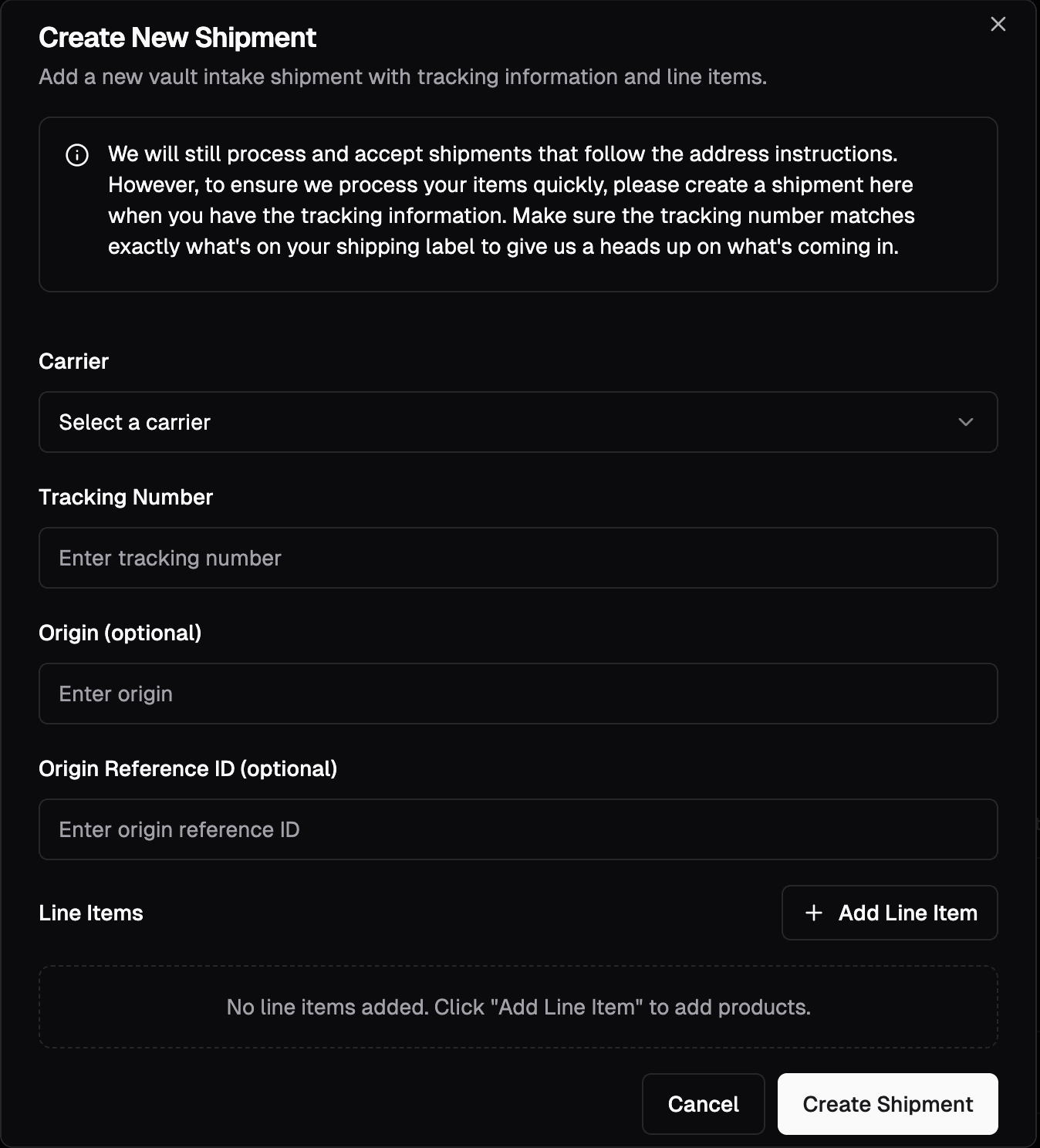
The Shipment tab is where you’ll create an incoming shipment to your Vault address. To get started, click Create New Shipment.
You’ll then be prompted to enter the carrier, tracking number, and the items included in the package. There are also optional fields, such as Origin and Origin Reference ID, that can help you keep your shipments organized and easier to track.
For purchases made on Pure, you may set the tracking number as the SO number.
Fulfillment Requests
The Fulfillment Requests tab is where you’ll use the items stored in your Vault to fulfill any pending orders. To get started, click New Fulfillment Requests
You will be prompted to choose the order you want to fulfill, once chosen, you will select on which items you want to use to fulfill the order
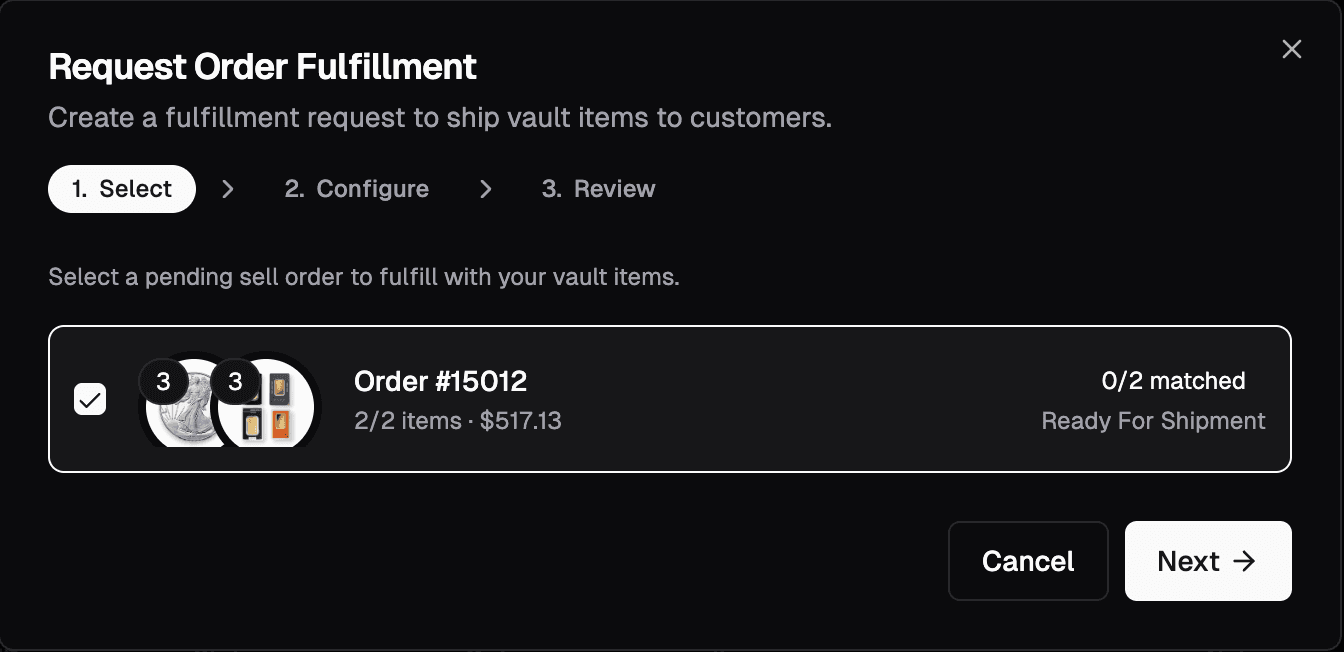
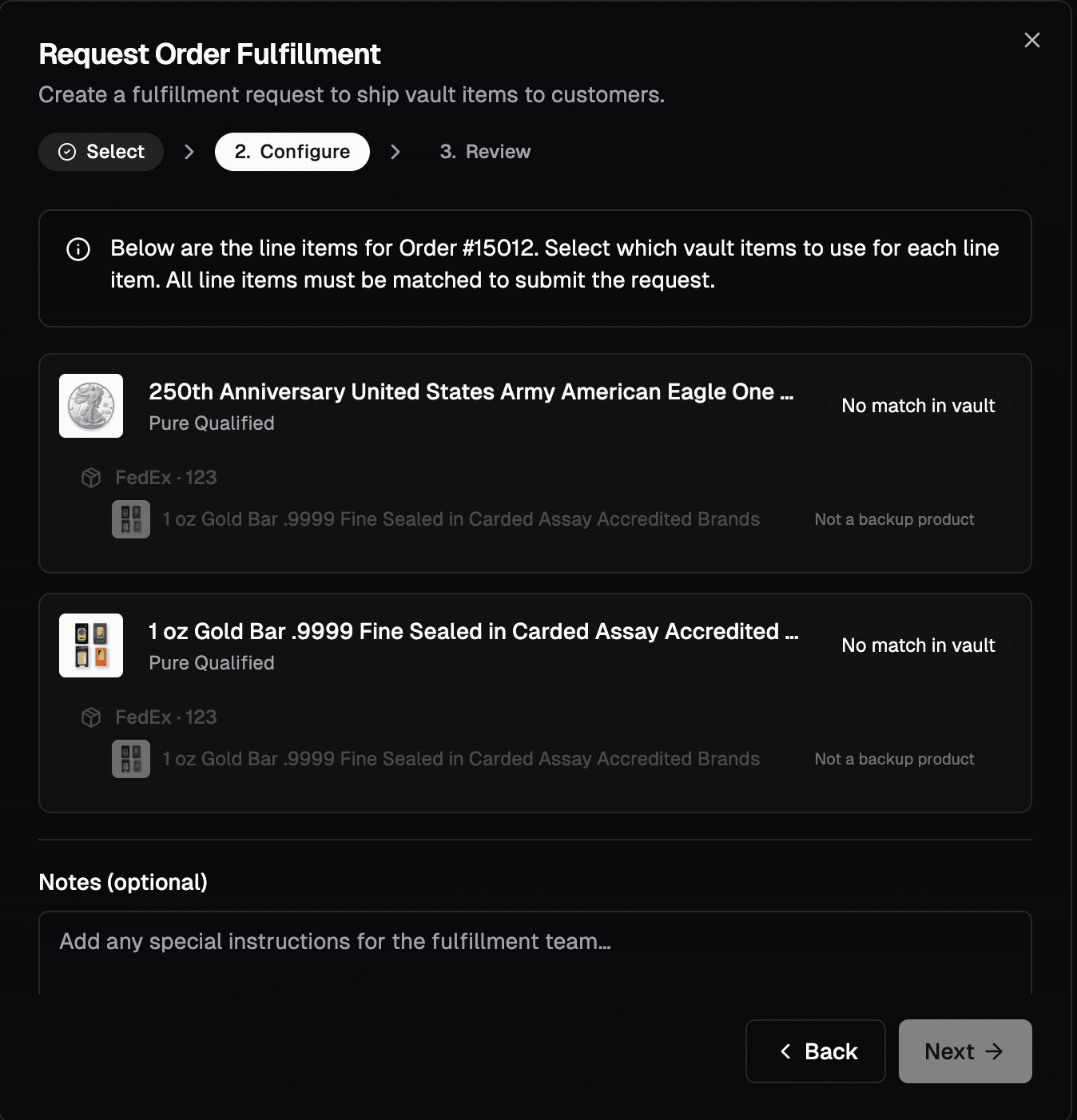
Please keep in mind that these images are just examples, they may show up differently on your end and you can have your orders be fulfilled
Vault Holdings
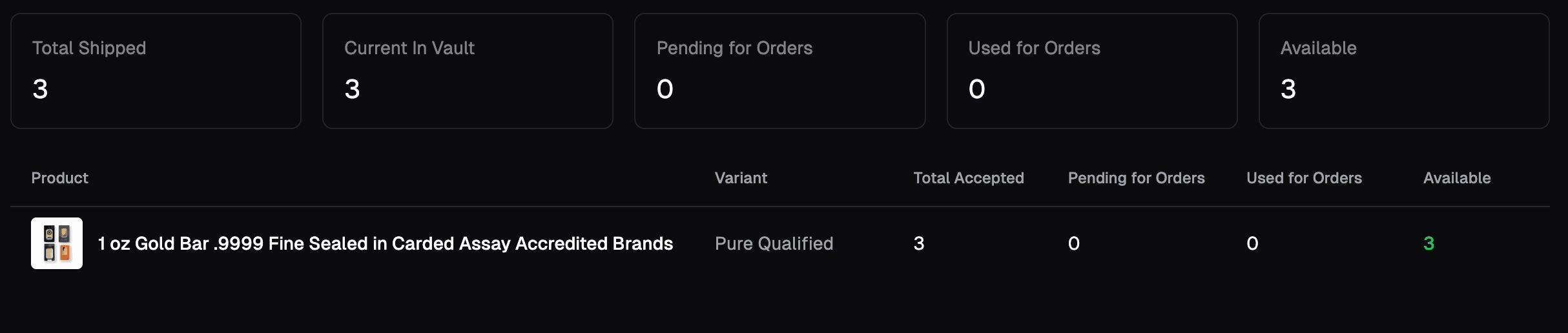
The Vault Holdings tab is where your items are shown, you will also find which items were used for orders and which ones are currently being stored in your vault
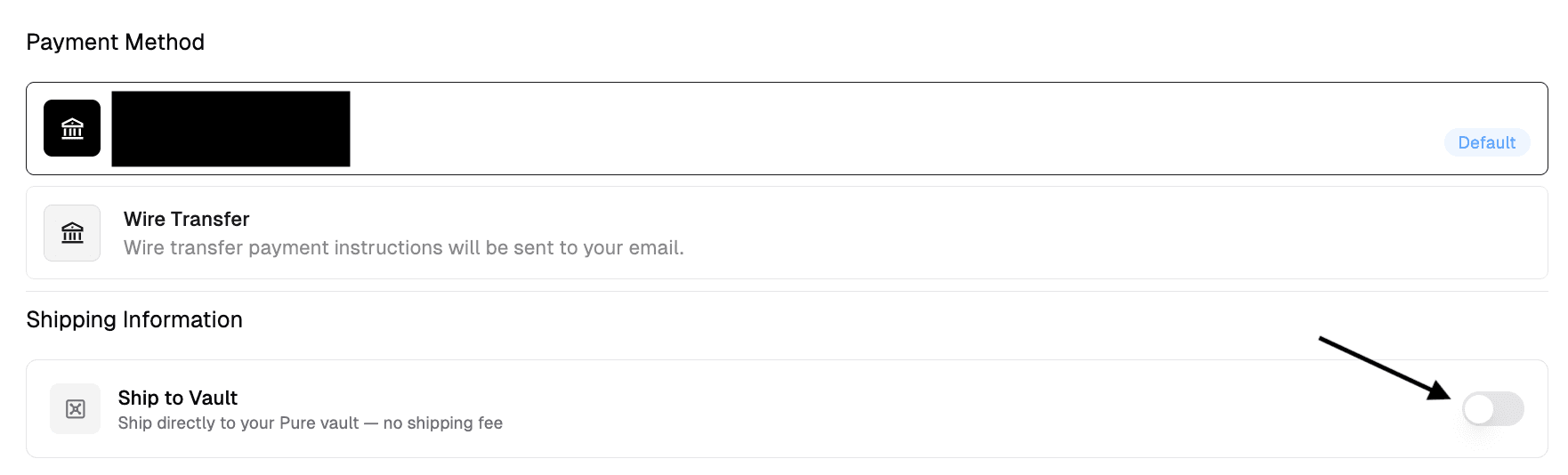
New Feature on the Buy End
During checkout, a new option allows you to ship items directly to the vault. Orders sent to the vault incur no shipping fees. When this option is selected, a vault shipment request is automatically created upon order placement.
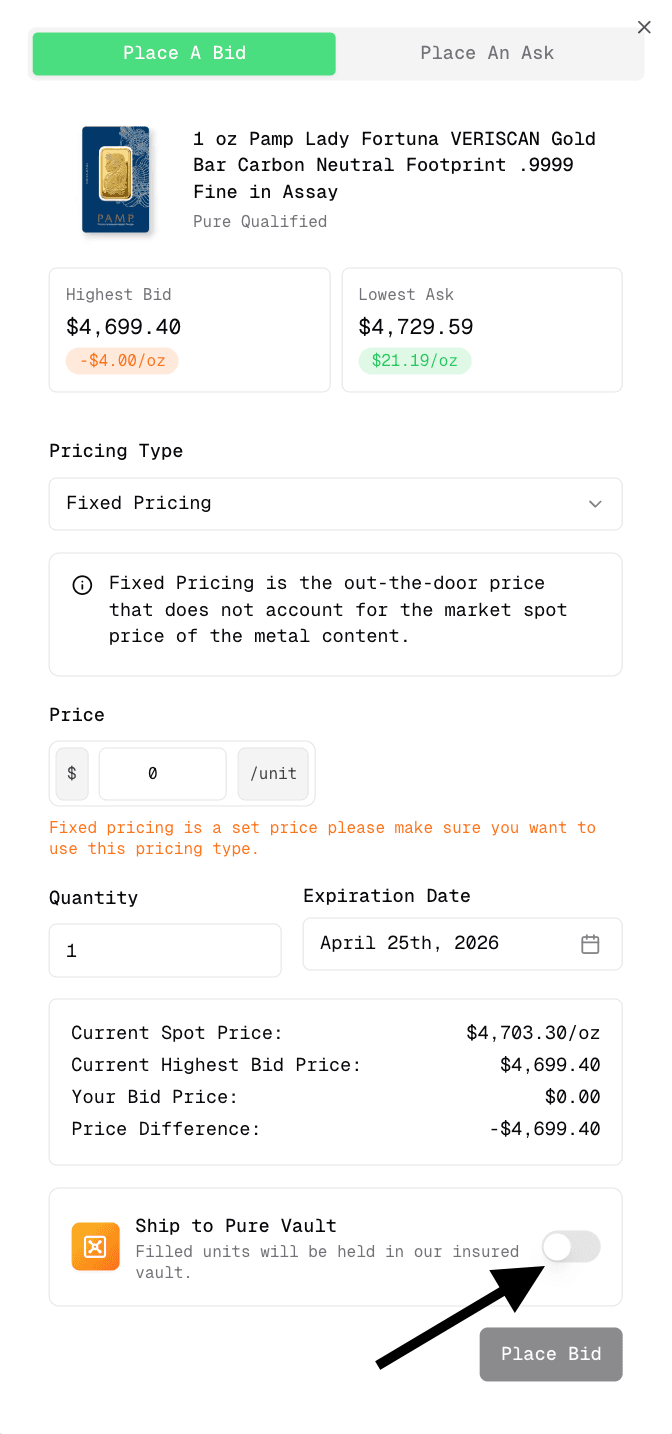
This is also enabled when placing bids
🧪 Beta Notes (Important!)
Feature is still in beta
Feedback / suggestions can be submitted via email over at [email protected]
Possible small changes as it evolves
If you have any questions or concerns regarding the Vault, you may contact us via our chat support on our website.