

New Selling Feature: Advanced Payment


Introducing the Advanced Payment Feature
We’ve introduced a new Advanced Payment beta program, now available for Silver, Gold and Plum tier members.
This feature allows eligible users to receive a full advance on their item’s value—before the check-in process is complete. Once your package is delivered, funds are released within 24 hours, giving you faster access to your proceeds.
Eligible items will be clearly marked during checkout for easy identification.
Eligible Products for Advanced Payment (Instant Payout)
Advanced Payment is currently available for select precious metals products, allowing eligible sellers to receive their funds before the standard check-in process is complete.
The following product categories are eligible:
Gold Products
Gold Bars (Gram Weight)
Gold Bars (Ounce Weight)
American Gold Eagles
American Gold Buffaloes
Austrian Coronas
British Sovereigns
Canadian Gold Maple Leafs
South African Gold Krugerrands
Silver Products
Silver Bars
90% Silver Dimes
90% Silver Quarters
90% Silver Half Dollars
90% Silver Mixed Denominations
Proof American Silver Eagles
Eligibility is determined by the specific product listing, and qualifying items will be clearly marked during checkout. Advanced Payment is available to eligible Silver, Gold, and Plum tier members, subject to applicable fees and payout limits.
The current rate is .5%, and may vary based on market conditions. Updated rates and payout limits will be reflected on your dashboard over time. Below is a table of how the advanced payment rate changes along with the processing time.
Advanced Payment Rate | Processing Times | Silver Tier Credit Limit | Gold Tier Credit Limit | Plum Tier Credit Limit |
|---|---|---|---|---|
0.5% | < 5 Business Days | $20,000.00 | $300,000.00 | $500,000.00 |
0.75% | 5 - 10 Business Days | $20,000.00 | $300,000.00 | $500,000.00 |
1% | 10-14 Business Days | $20,000.00 | $300,000.00 | $500,000.00 |
1.25% | 14+ Business Days | $20,000.00 | $300,000.00 | $500,000.00 |
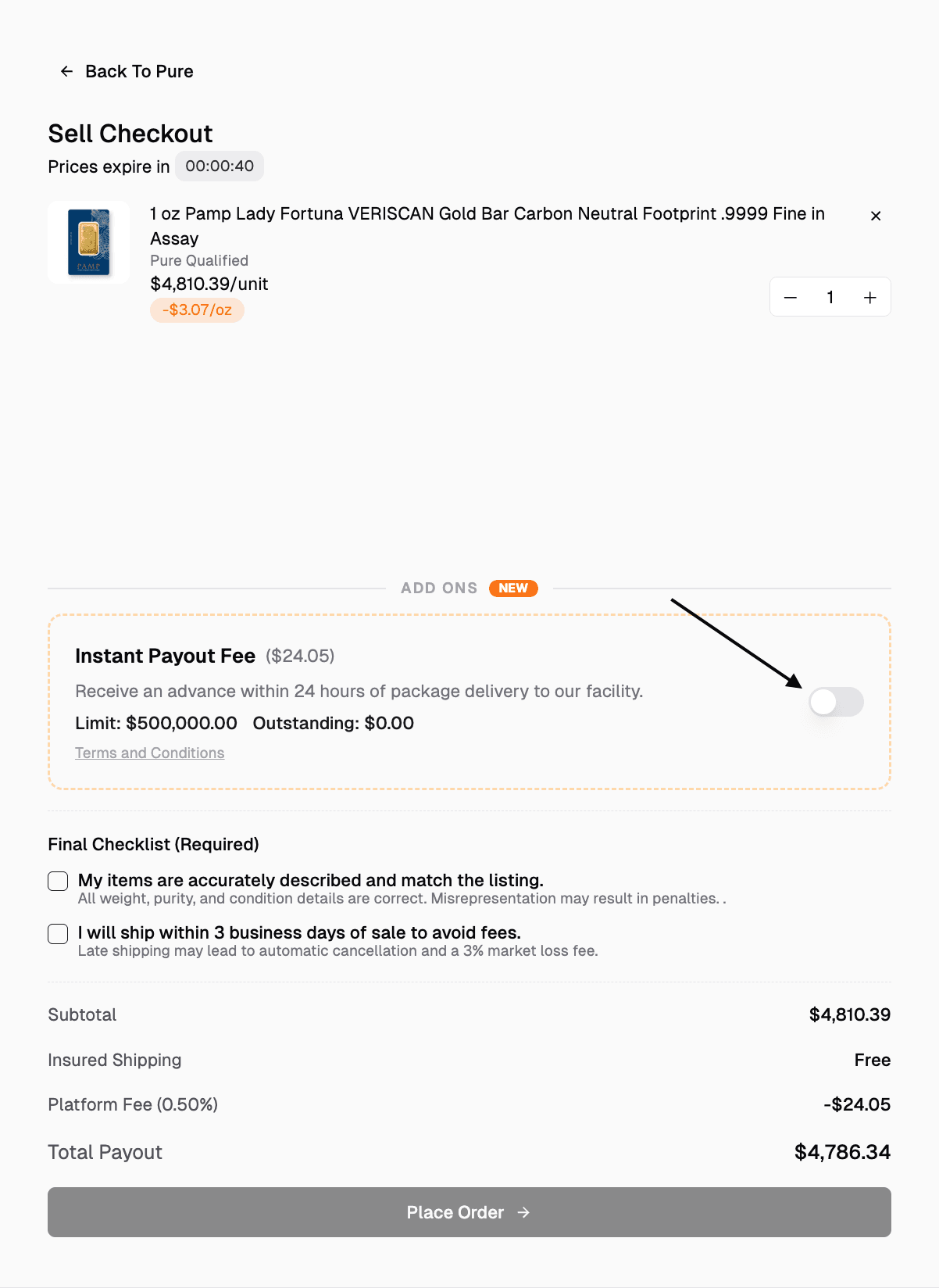
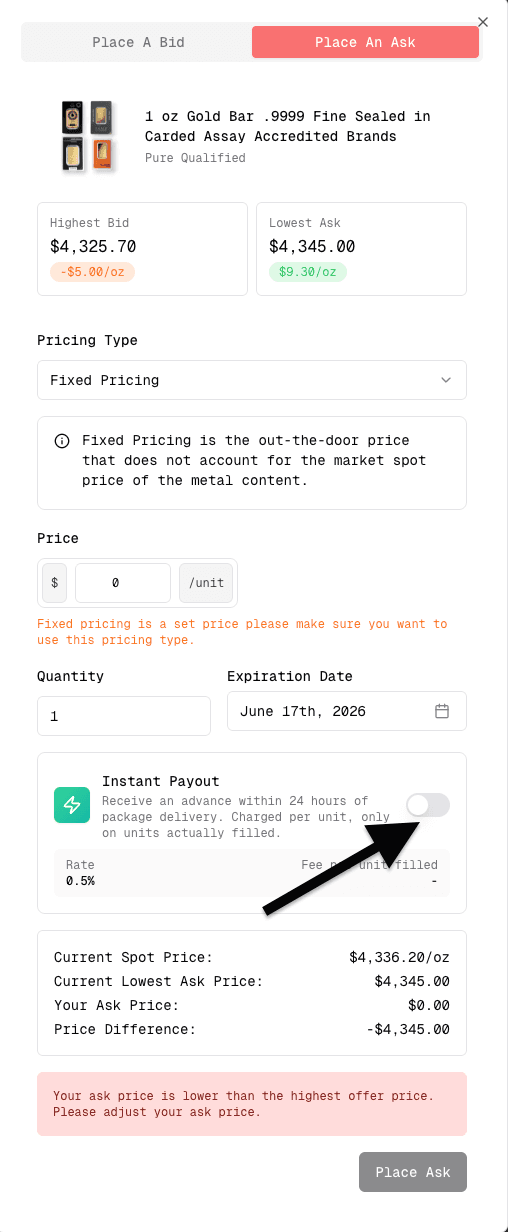
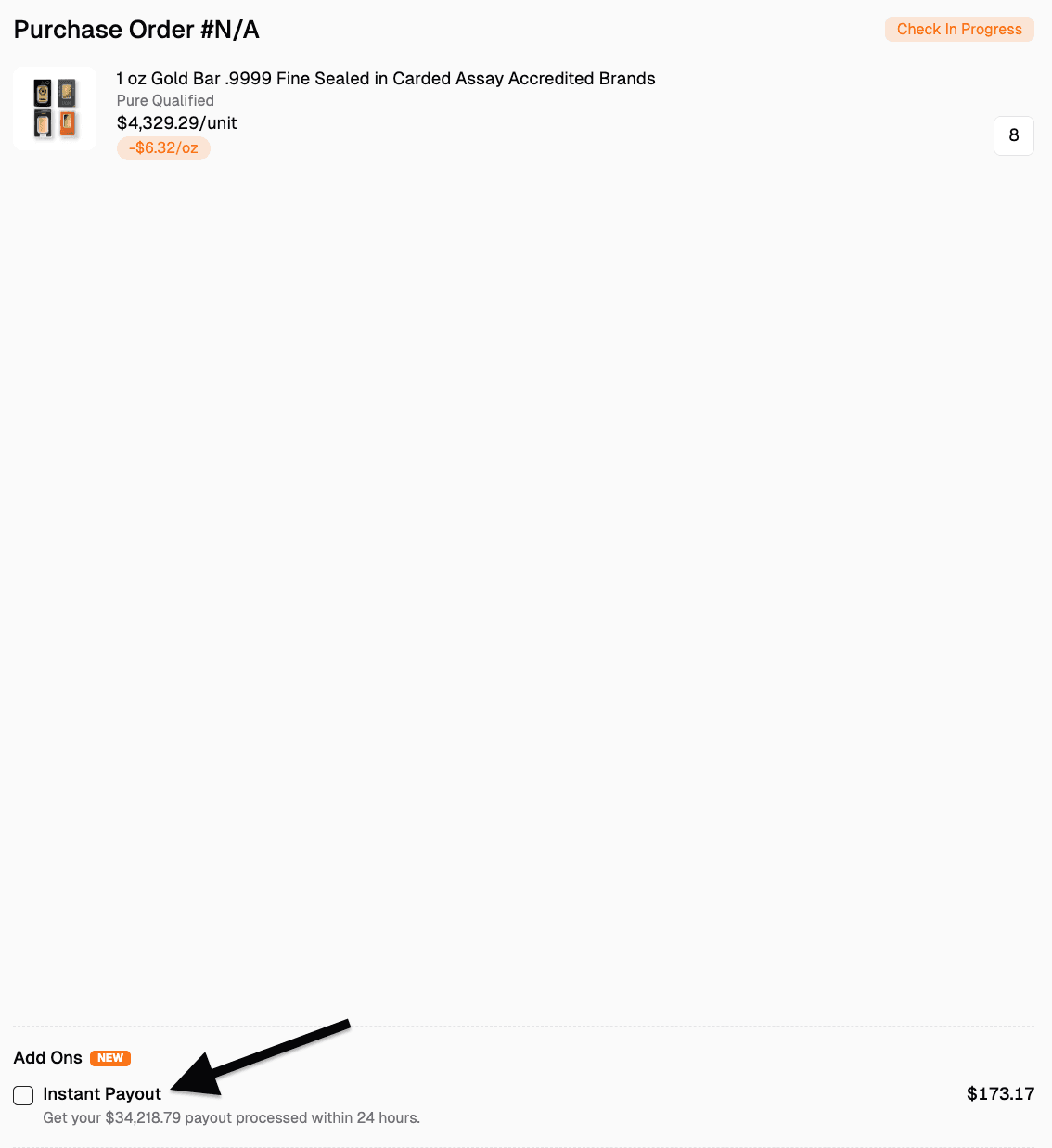
Advanced Payment are available on asks, accepting the highest bid, and can be applied on orders after they have been placed as long as it hasn't reached the check in complete stage. To apply it on an already placed order, head over to your dashboard, go to the purchase tab and click on view order to the order you would like to have it be applied on.
Applying it on accepting the highest bid
Applying it on an ask
Applying it on an already placed order
If you have any questions or concerns regarding this feature, you may contact us via our chat support on our website.